Auria - Music Production
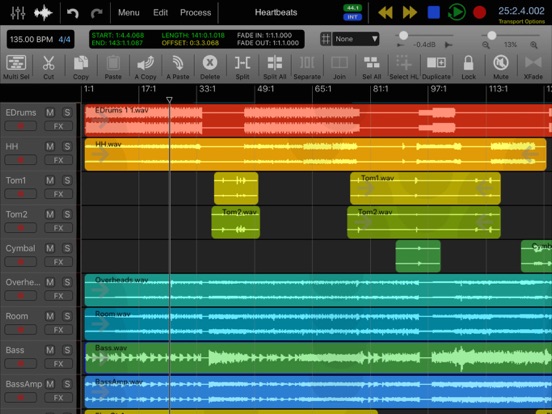
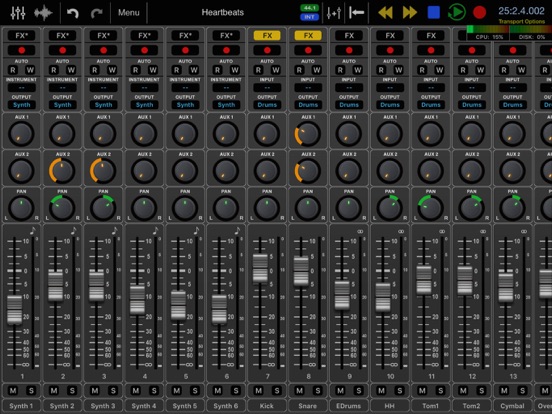
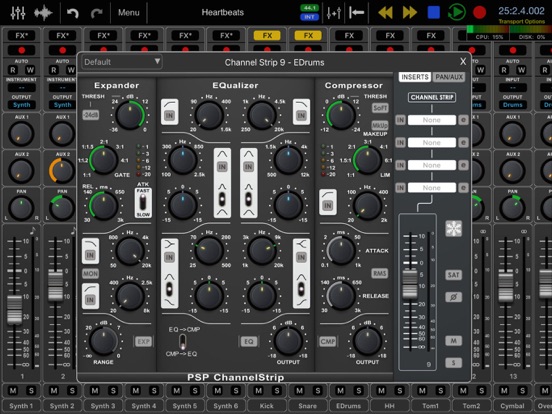
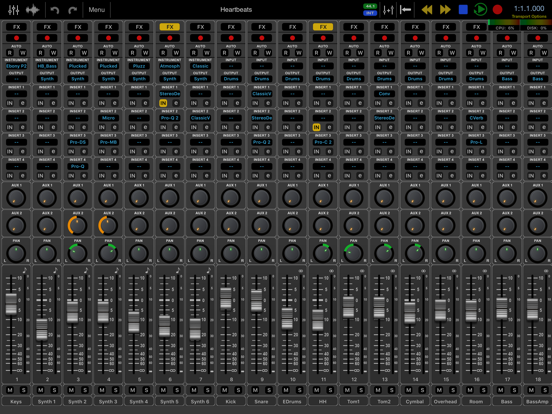
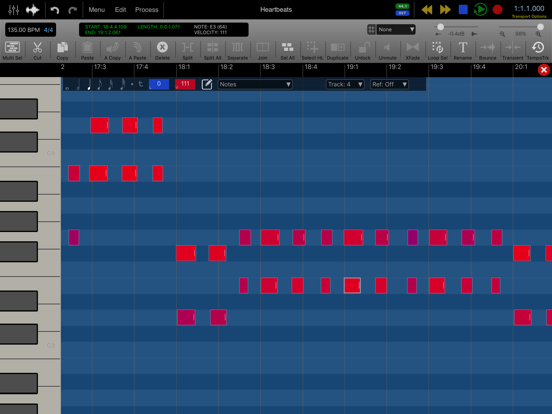
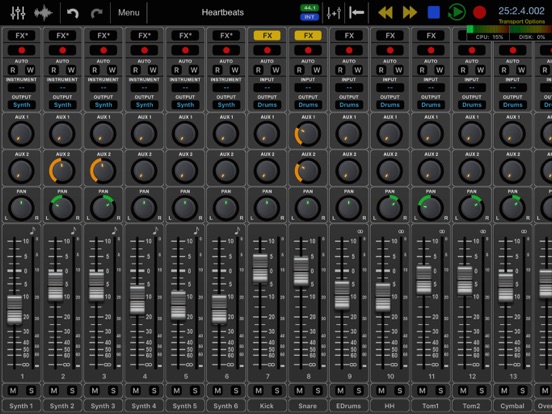
Auria is a mobile music production system designed from the ground up for the iPad.
| Price | $24.99 |
|---|---|
| Author | WaveMachine Labs, Inc. |
| Type | Host |
| Supports | Inter-App Audio (IAA), Audiobus, Audio Unit (AU) |
| Rating | total: (33), current: (33) |
| Version | 2.470 |
| Released | 07/17/2012 |
| Updated | 10/13/2026 |
"This is the first mobile mixing (AND recording AND post production) app that I've ever used that is truly professional. Just Wow !" - David Kahne (Grammy winning producer/engineer for Paul McCartney, Tony Bennett, Stevie Nicks, Sublime, The Bangles, Ingrid Michaelson, Regina Spektor)
•TEC Awards 2012 Nominee•
•Computer Music Innovation Award•
•Computer Music Performance Award•
•Sound on Sound 2013 Awards Nominee•
•Electronic Musician Editor's Choice Award•
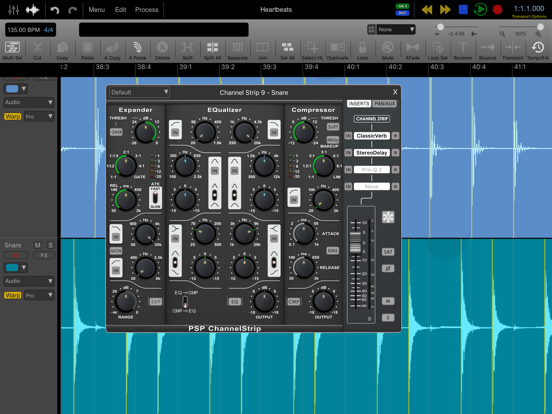
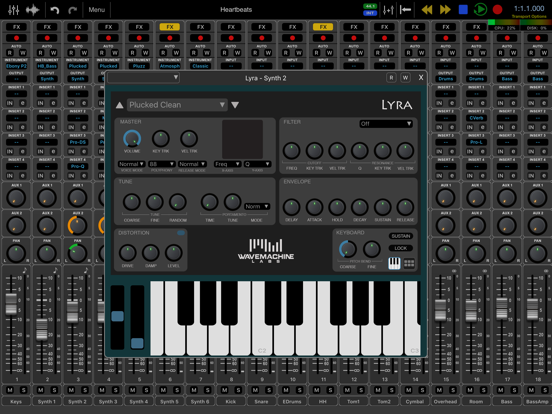
Auria is a mobile music production system designed from the ground up for the iPad. With professional-level features like third-party plug-in support from names like FabFilter, PSPAudioware and Drumagog (optional purchases), AAF support and more, Auria clearly sets a new standard for mobile recording.
"Prepare to be amazed." – Computer Music Magazine
“...I was immediately convinced that this is the hottest musical app to make it to the iPad so far...” – Recording Magazine
FEATURES:
• Unlimited audio tracks
• Up to 24 tracks of simultaneous recording when used with compatible USB audio interfaces (Camera Connection Kit required)
• 24-bit recording
• Vintage-inspired ChannelStrip on every channel by PSPAudioware includes Expander, Multiband EQ and Compressor
• MasterStrip on all subgroup and master channels featuring PSPAudioware BussPressor, EQ and Mastering Limiter
• 64 bit double-precision floating point mixing engine
• Third party plugin support available via in-app purchase
• MIDI Sync support with MTC Chase, MIDI Clock and MMC
• MIDI Remote Control (Mackie MCU and HUI protocol)
• Supports sample rates of 44.1KHz, 48KHz and 96KHz, at 24 bits (iPad 1 only 44.1KHz and 48KHz)
• AAF import and export allows transferring complete sessions between popular DAWs like Logic, Pro Tools, Nuendo, Samplitude and others
• Convolution reverb plugin with included IR library by MoReVoX
• ClassicVerb reverb plugin included
• StereoDelay and StereoChorus plugins included
• 8 assignable subgroups and 2 aux sends
• Time Stretching using ZTX technology
• Real-time audio scrubbing
• Ripple Edit mode
• Tempo sync and side chain support for plug-ins
• Powerful waveform editor with features like cut/copy/paste, crossfade, duplicate, separate, gain, normalize, dc offset, reverse, and more
• Flexible snapping tools allow snapping to events, cursor, bars, beats and more
• DropBox, SoundCloud and Audio Copy/Paste support
• AudioUnit (AUx) and Inter-app Audio support (IAA)
• Audiobus support
• Track freeze for minimizing CPU usage
• Full automation support on all controls with graphical editing
• True 100mm faders when used in Portrait Mode
• Adjustable pan law
• Optional video import feature allows sample accurate sync of video to an Auria project
• Timeline ruler options include minutes:seconds, bars:beats, samples and SMPTE time
• Auto-punch mode
• WIST support for wireless syncing of other compatible music apps
• AuriaLink allows two iPads running Auria to play and record in sync, allowing for 96 tracks of playback and 48 tracks of recording
• Full delay compensation on all tracks, subgroups, and aux sends
• Adjustable metering modes, including pre or post fader, RMS and peak
• Sample accurate loop function
• Automatic sample rate conversion
• Built-in metronome
REQUIREMENTS:
iPad 4 or later recommended
Compatible with all iPad models
iOS 7 or later
USB audio interfaces require Camera Connection Kit
Pro Tools is a trademark of Avid, Inc.
Logic is a trademark of Apple, Inc.
Nuendo and is a trademark of Steinberg, GmBH
Samplitude is a trademark of MAGIX.
AudioCopy and AudioPaste are trademarks of Sonoma Wire Works.
Mackie is a trademark of LOUD Technologies, Inc.
Version 2.470 release notes
• New file browser replaces the Load, Save and Import screens. Browse projects, iCloud Drive, Dropbox, USB drives and other storage apps. • Drag files onto tracks from the docked browser or from other apps. • Drum maps for MIDI tracks: name each note and choose which note each drum pad plays. Open one from Process > Drum Map, or hold down a drum pad. • Tracks with a drum map show drum names in the piano roll, draw hits as diamonds, and open zoomed to the kit. Tap a hit with the pencil to remove it. • MIDI clock sync: turn on Receive Clock for a MIDI input in Settings > MIDI. Start, Stop, Continue and Song Position control Auria's transport. With External Sync on, Auria follows the incoming tempo while stopped, unless the tempo track has tempo changes. • Import now shows only files Auria can import. • "Open in Auria" now works from the Files app and other apps. • The plug-in list now has separate sections for AUv3 Effects, AUv3 MIDI Effects and AUv3 Instruments. • New setting: Settings > Mixer > Inter-App Audio Plug-ins. Turn it off to hide Inter-App Audio apps from the plug-in lists. • FabFilter plug-ins now remember their preset name when a project is reopened. • Fixed AUv3 knob automation not recording in Write mode. • Fixed MIDI regions moving out of place when the tempo was changed more than once. • Fixed a newly inserted plug-in sometimes showing the name of one of your saved presets. • Fixed the wrong Inter-App Audio app sometimes loading after opening apps from the home screen. • Drum pads no longer light up for notes they don't play, and no longer stick on when a touch is interrupted. • The channel strip's close button is easier to click with a mouse. • Various stability fixes.
Related Apps (2)
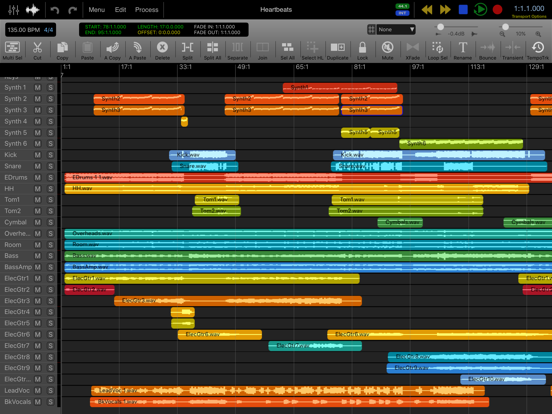
Auria is a mobile music production system designed from the ground up for the iPad.
| Price | $49.99 |
|---|---|
| Author | WaveMachine Labs, Inc. |
| Type | Host |
| Supports | Inter-App Audio (IAA), Audiobus, Audio Unit (AU) |
| Rating | total: (9), current: (9) |
| Released | 12/03/2015 |
| Updated | 10/13/2026 |
Auria LE is a "lite" version of Auria host with a very limited set of features.
| Price | $19.99 |
|---|---|
| Author | WaveMachine Labs, Inc. |
| Type | Host |
| Supports | Inter-App Audio (IAA), Audiobus |
| Rating | total: (2), current: (2) |
| Released | 01/09/2013 |
| Updated | 10/13/2026 |